Introduction
In today’s digital age, online privacy and security have become major concerns. Every time you browse the internet, your personal data — including browsing habits, location, and even passwords — can be tracked.
“If you’re wondering what is a VPN, you’re not alone — it’s one of the most searched questions about online privacy.”
Hackers, advertisers, internet service providers, and even governments may monitor your activity. Because of this, protecting your data is no longer optional.
This is where a VPN, or Virtual Private Network, becomes essential.
A VPN helps protect your online identity. It secures your data and gives you more freedom on the internet. Whether you are working remotely, streaming content, or browsing social media, understanding how a VPN works can help you stay safe.
In this guide, you will learn what a VPN is, how it works, the different types available, and the key benefits it offers.
What Is a VPN?
A VPN, which stands for Virtual Private Network, is a service that creates a secure and encrypted connection between your device and the internet.“At its core, understanding what is a VPN helps you take control of your online privacy and security.”
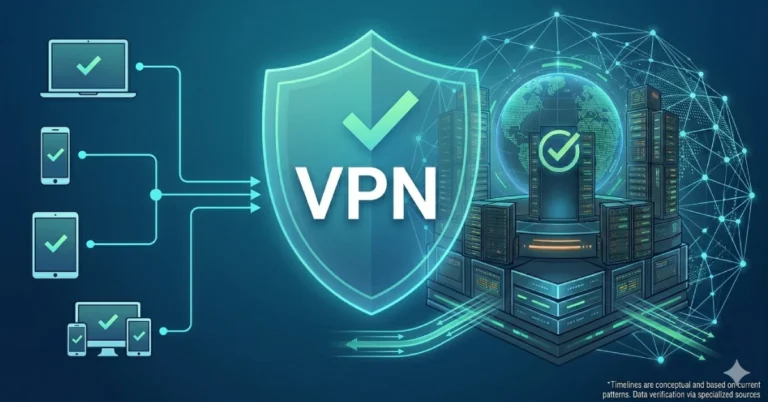
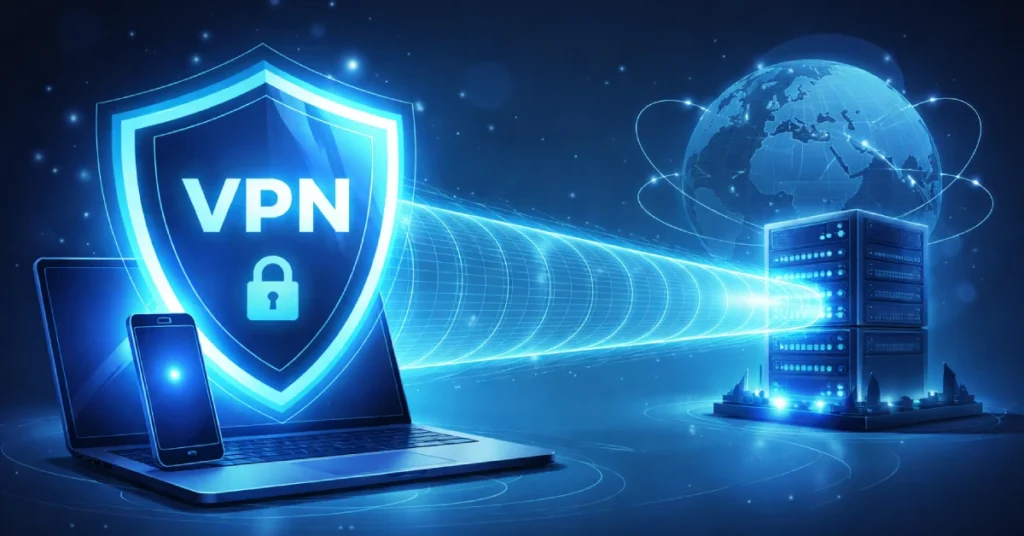
In simple terms, it works like a private tunnel for your online activity.
When you use a VPN, your internet traffic does not go directly to websites. Instead, it is routed through a remote server operated by the VPN provider. As a result, your real IP address stays hidden.
This process replaces your original IP address with the VPN server’s IP. Therefore, websites and apps see the server’s location instead of your actual location.
In short, a VPN acts like a disguise for your online identity. It makes your activity more private, secure, and harder to track.
How Does a VPN Work?
To understand how a VPN works, it helps to compare it with a normal internet connection.
Without a VPN, your device connects directly to websites. Your Internet Service Provider (ISP) can see your activity, and your IP address remains visible.
However, when you use a VPN, the process changes.
Step-by-Step Process
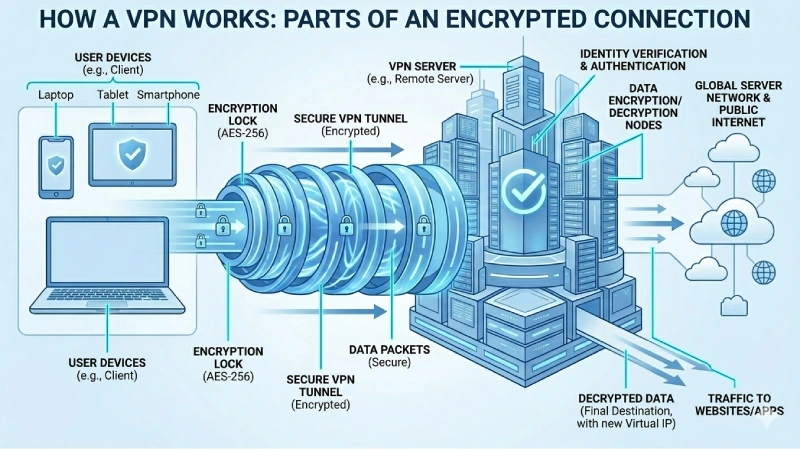
Step 1: You open a VPN application and connect to a server.
Step 2: The VPN encrypts your internet traffic. This means your data turns into unreadable code.
Step 3: Next, the encrypted data travels to a VPN server located in another region or country.
Step 4: At this point, the server decrypts your request and forwards it to the target website.
Step 5: Finally, the website sends its response back, and the data returns to your device through the VPN server.
Throughout this process, your real IP address remains hidden. Only the VPN server’s IP is visible.
In addition, your ISP cannot see what you are doing online. They can only detect that you are connected to a VPN.
This secure tunnel protects your data, especially when using public Wi-Fi in places like airports, hotels, or cafés.
Types of VPNs
Not all VPNs work the same way. Different types are designed for different purposes.
Remote Access VPN
This is the most common type for individual users. It allows you to connect securely from anywhere.
For example, employees can access company systems from home. Similarly, personal VPN services fall into this category.
Site-to-Site VPN
This type is mainly used by businesses. It connects entire networks across different locations.
For instance, a company with offices in two countries can link both networks securely.
Mobile VPN
Mobile VPNs are designed for smartphones and tablets. They remain stable even when switching between Wi-Fi and mobile data.
As a result, they are ideal for users who move frequently.
Cloud VPN
Cloud VPNs provide secure access to cloud platforms and services. Businesses use them to protect sensitive data stored online.
SSL/TLS VPN
These VPNs work through web browsers. Users can access secure networks without installing software. They are often used for company portals or email systems.
Benefits of Using a VPN
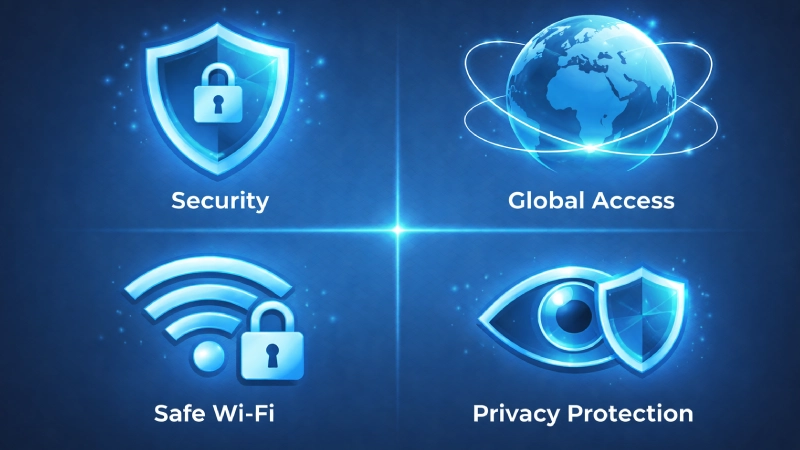
Using a VPN offers several important advantages.
Enhanced Security
A VPN encrypts your data. Therefore, hackers cannot easily access your information. This is especially useful on public Wi-Fi networks.
Privacy Protection
A VPN hides your IP address. As a result, websites and advertisers cannot easily track your activity.
Access Geo-Restricted Content
Many platforms limit content based on location. However, a VPN allows you to connect through different countries and access more content.
Bypass Censorship and Firewalls
In some regions, certain websites are blocked. A VPN helps you bypass these restrictions by routing your connection through another location.
Safe Online Banking and Shopping
When making online payments, your data needs protection. A VPN adds an extra layer of security during financial transactions.
Prevent Bandwidth Throttling
Some ISPs slow down your internet speed based on your activity. Because a VPN hides your usage, this becomes less likely.
Secure Remote Work
VPNs allow employees to access company systems safely from anywhere. This is important for protecting business data.
Save Money on Online Purchases
Prices can vary depending on your location. By changing your virtual location, you may find better deals on flights or subscriptions.
Are There Any Drawbacks?
Although VPNs are useful, they also have some limitations.
- Internet speed may become slightly slower
- Some websites block VPN traffic
- Reliable VPNs usually require a paid plan
- Free VPNs may collect your data
- VPNs do not protect against malware or phishing
Conclusion
A VPN is a powerful tool for improving online privacy and security.
It encrypts your data, hides your IP address, and gives you more control over your internet activity. In addition, it helps you access restricted content and stay safe on public networks.
There are different types of VPNs for different needs. While they are not perfect, their benefits are far greater than their limitations.
“Now that you understand what is a VPN, you can make smarter decisions about protecting your data online.”
As online threats continue to grow, using a VPN is becoming a smart and practical choice. Whether you are at home, at work, or traveling, a VPN helps you stay secure in an increasingly connected world.
FAQ
A1:A VPN is a tool that encrypts your internet connection and hides your IP address to keep your online activity private.
A2:A VPN uses encryption to turn your data into unreadable code, making it difficult for hackers and trackers to access it.
A3:Yes, VPNs are legal in most countries, but some regions have restrictions.
A4:A VPN may slightly reduce speed, but premium services minimize this impact.
A5:Some free VPNs can be risky because they may track or sell your data.
A6:You should use a VPN when using public Wi-Fi, accessing sensitive information, or protecting your privacy online.