

You’ve seen the headlines: “AI Will Revolutionize Everything!”
You’ve also heard the warnings: “AI will take all our jobs.”
For small business owners, neither is useful.
You’re not trying to build robots.
You’re trying to get more customers, reduce admin work, and make next month’s payroll without burning out.
That’s why many small business owners ignore AI entirely — assuming it’s either overhyped or only affordable for big tech companies.
But the real AI story in 2026 is quieter — and far more practical.
Today, cafés, agencies, consultants, freelancers, and local service businesses are using simple AI tools to automate repetitive work, respond faster to customers, and make better decisions — without hiring more staff.
Let’s cut through the noise and see what actually works.
The Problem: Too Much Busy Work, Not Enough Business Work
Your most valuable resource isn’t capital or software.
It’s your time.
Yet most small business owners spend their days buried in repetitive tasks:
- Writing similar product or service descriptions repeatedly
- Replying to routine customer emails
- Manually scheduling meetings and follow-ups
- Guessing what sales or customer data actually means
- Creating basic social media content from scratch
These tasks are necessary — but they aren’t strategic.
The result is familiar:
You stay busy all day, but progress feels slow.
You’re stuck working in the business, not on the business.
Small business reality check:
A 2025 survey showed that owners spend over 60% of their time on admin or repetitive tasks. That’s time that could be spent growing the business, building customer relationships, or planning strategy.
The Insight: AI Is a Tool, Not a Replacement
Modern AI isn’t here to replace business owners.
Instead, think of it as a patient, always-available assistant that handles repetitive, pattern-based work quickly and consistently.
You don’t need to understand how the technology works behind the scenes.
You only need to know what it can take off your plate.
The real value of AI for small businesses comes down to one thing:
Less time on tedious work, more time on decisions that matter.
Key mindset shift: AI supports, it does not decide.
Human judgment, experience, and creativity remain essential. AI is the amplifier, not the brain.
Practical AI Uses Small Businesses Are Using Today
These aren’t future predictions.
They’re real-world use cases already delivering results in 2026.
1. Marketing That Actually Gets Done
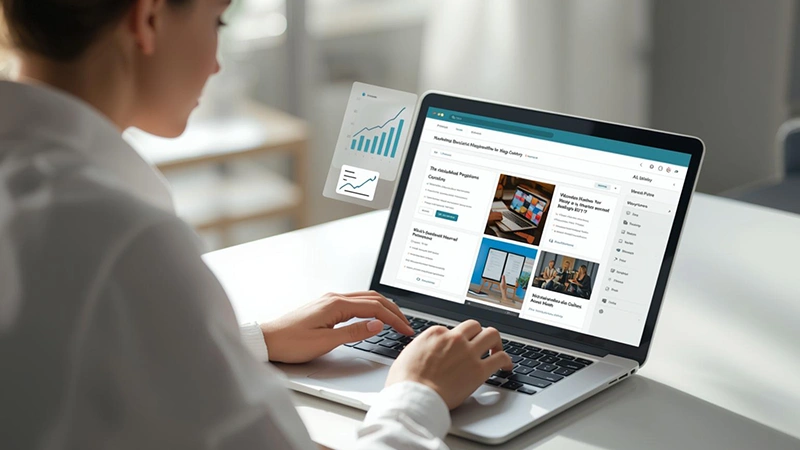
Tools: AI writing and design assistants (Jasper, Copy.ai, Canva AI, Writesonic)
Real benefit: Consistency without burnout.
Examples:
- A local bakery drafts weekly email newsletters, blog ideas, and Instagram captions in minutes. Canva’s AI turns one product photo into multiple post designs automatically.
- A fitness studio generates ad copy for Facebook and Instagram in different formats using AI, saving hours of trial-and-error writing.
- An online boutique uses AI to test headlines and product descriptions, learning which copy converts best.
- A small bookshop uses AI to craft email sequences promoting new arrivals and events, boosting attendance without hiring extra staff.
- A pet grooming business generates monthly social media calendars with AI, ensuring timely seasonal promotions.
Outcome:
Steady online visibility — without spending weekends creating content.
Consistency builds brand recognition and engagement, which is crucial for small, competitive markets.
Save time and improve your ROI by using specialized AI marketing tools designed for small businesses.
2. Customer Support That Works After Hours
Tools: AI chatbots and automated responders (ManyChat, Drift, Tidio)
Real benefit: Faster responses and fewer missed leads.
Examples:
- A home cleaning service sets up a chatbot to answer FAQs, schedule appointments, and send reminders.
- An online boutique uses AI to manage order tracking questions at night, freeing up staff for higher-value tasks.
- A local clinic implements AI appointment reminders and FAQ responses, reducing phone call load by 40%.
- A dog grooming business allows clients to book appointments online via AI and receive instant confirmations.
- A tutoring business uses AI to schedule lessons, send reminders, and follow up with students automatically.
Outcome:
More booked jobs and happier customers — without owners answering messages at midnight.
See how automating customer service with AI chatbots can save small businesses hours of manual work.
3. Clearer Insights From Business Data

Tools: AI analytics inside accounting, CRM, or project management software
Real benefit: Understanding patterns without spreadsheets.
Examples:
- A consulting firm connects AI to its invoicing system. The tool flags projects that consistently exceed estimated hours.
- A small retailer uses AI to identify seasonal product trends, helping optimize inventory and reduce waste.
- A salon tracks customer retention and promotions via AI, identifying which campaigns actually drive repeat bookings.
- A freelance designer uses AI to analyze billable vs. non-billable hours to improve project profitability.
- A local coffee shop monitors sales data, adjusting menu items and promotions using AI insights.
Outcome:
Better pricing decisions, improved margins, and smarter inventory management.
For more details, explore our comprehensive guide on AI-powered business analytics tools.
4. Smarter Sales Outreach
Tools: AI-assisted CRM and sales writing tools
Real benefit: Personalization at scale.
Examples:
- A B2B service provider uses AI to draft personalized outreach emails based on prospects’ websites and LinkedIn profiles.
- Freelancers use AI to create follow-up templates and proposals that feel personal but require minimal effort.
- A marketing agency analyzes client engagement data with AI, sending optimized follow-ups automatically.
- A tutoring business uses AI to segment leads and send tailored content based on previous inquiries.
- A real estate agent leverages AI to identify high-interest leads and craft messages based on property preferences.
Outcome:
More effective outreach in far less time.
Personalized outreach improves reply rates and conversions without hiring extra sales staff.
Learn how to streamline your workflow using AI-driven sales automation for small businesses.
5. Social Media Management Made Simple
Tools: AI schedulers and content planners (Buffer AI, Later, Planable)
Real benefit: Consistent posting and strategy guidance.
Examples:
- A small coffee shop uses AI to generate captions, hashtags, and post ideas for an entire month.
- An independent bookstore schedules posts with AI recommendations for trending topics.
- A boutique fitness coach uses AI to repurpose one video across Instagram, TikTok, and YouTube with optimized captions for each platform.
- A local restaurant schedules posts for menu specials and events automatically, improving reach without staff effort.
- A travel agency uses AI to create promotional posts based on seasonal offers, automatically scheduling them across multiple platforms.
Outcome:
Steady engagement, stronger brand presence, and less stress for business owners.
Stop spending hours on manual updates and see how to streamline your workflow with AI for social media management.
6. Industry-Specific AI Applications
Local Businesses: Restaurants, salons, and shops use AI for booking, marketing, and loyalty program automation.
Service Businesses: Agencies, consultants, and freelancers leverage AI for proposal drafting, client reporting, and outreach.
E-commerce: Online stores automate product descriptions, inventory alerts, and customer support.
Solo Entrepreneurs: Side hustlers use AI to manage emails, social media, and scheduling, letting them focus on core products or services.
Mini case studies:
- A boutique fitness coach drafts 10 weekly social posts, replies to messages, and generates personalized training tips — all in 30 minutes a day instead of 3–4 hours.
- A local café uses AI for menu suggestions, social media captions, and inventory forecasts, reducing food waste and boosting engagement.
- A freelance designer automates invoices, proposals, and client follow-ups, saving 10+ hours per week.
- A salon leverages AI to track appointment trends, manage reminders, and send promotions to loyal clients.
- A small e-commerce store uses AI to analyze customer behavior, personalize product recommendations, and create seasonal campaigns.
Stand out in your community by learning how to implement AI for local businesses to outrank nearby competitors.
7. Step-by-Step AI Adoption Roadmap
Adopting AI doesn’t have to be overwhelming. Follow this roadmap:
- Start with one problem: Identify your biggest time drain.
- Research AI tools: Look for a simple, focused tool to solve this specific task.
- Run a small pilot: Test it on real work, not experiments.
- Measure results: Track time saved, revenue impact, or error reduction.
- Expand gradually: Add additional AI tools to cover more tasks once you’re comfortable.
- Integrate into workflow: Make AI part of your daily operations, not a separate side project.
While it can seem daunting, our guide on successful AI adoption in small business simplifies the transition process.
8. Calculating ROI: Time and Money
Time saved:
- Automating emails could save 1–2 hours per day (~500 hours per year).
- AI content drafting can cut social media content creation by 75%.
- AI scheduling can save 3–5 hours per week.
Revenue impact:
- Faster responses → more leads converted → higher sales.
- Better data analysis → smarter pricing → improved profit margins.
Cost comparison:
- Many AI tools start free or under $50/month.
- ROI is often realized in weeks, not months.
Mini calculation:
A small business paying $30/month for AI that saves 10 hours/month at $25/hour → ROI = $250 saved monthly → ~8x return.
9. AI Ethics & Risk Considerations
Even small businesses must be responsible:
- Data privacy: Avoid collecting sensitive info unnecessarily.
- Accuracy checks: Always review AI outputs before publishing.
- Avoid overreliance: Keep humans in decision-making loops.
- Customer perception: Maintain a human voice, don’t make AI obvious in client communications.
Example:
A local spa found that auto-generated emails felt robotic. Adjusting tone and personalization improved client response by 30%.
10. Advanced Tips & Tricks
- Combine multiple AI tools for different tasks (e.g., scheduling + content + email).
- Use AI for drafting first, humans polish last.
- Automate reporting dashboards for quick insights.
- Schedule a weekly AI audit to check efficiency and results.
- Consider AI-assisted brainstorming for product or service ideas.
11. Future-Proofing Your Business
AI is evolving fast. Stay competitive by:
- Continually learning new tools
- Testing emerging features
- Optimizing internal workflows
- Monitoring competitor AI adoption
Businesses that adopt early but thoughtfully gain efficiency without sacrificing quality.
12. AI Tool Categories to Consider
- Content Creation: Blog posts, social media, ad copy (Jasper, Copy.ai)
- Design: Social media visuals, banners, posters (Canva AI, Fotor)
- Customer Support: Chatbots, automated replies (ManyChat, Drift)
- Sales: Lead scoring, outreach templates (HubSpot AI, Salesforce Einstein)
- Analytics: Data insights, trend analysis (Zoho Analytics AI, QuickBooks AI)
- Automation: Workflow, scheduling, email campaigns (Zapier AI, Automate.io)
Tip: Focus on one category at a time for faster adoption.
13. Common Mistakes to Avoid
- Deploying too many AI tools at once
- Not reviewing AI outputs
- Ignoring data privacy concerns
- Treating AI as a replacement for strategy or human connection
Mini case study:
A small e-commerce store over-automated email campaigns. Customers felt impersonal messages, leading to unsubscribes. Fix: human review + personalization.
14. Actionable 30-Day AI Implementation Checklist
During the first week:
- Identify time-consuming tasks
- Pick one AI tool for one task
- Test tool on real work
By the second week
- Evaluate results
- Adjust workflow as needed
- Train team or yourself on tool best practices
In week three
- Add a second AI tool if needed
- Track time savings and performance improvements
Finally, in week four
- Document lessons learned
- Standardize AI workflow for daily use
15. Emerging Trends in AI for SMBs (2026+)
- Predictive analytics: Anticipate customer needs
- Hyper-personalization: Tailored emails, offers, and content
- AI-powered insights: Identify trends faster than manual research
- Voice & chat AI: Seamless interaction with clients
- AI-assisted strategy: Tools suggesting new opportunities
Businesses that monitor and adopt these trends gain a competitive edge.
Final Thoughts
This isn’t magic.
Nor is it science fiction.
It’s practical software that helps reclaim time, reduce stress, and refocus attention on work that grows your business.
Start with one task.
Solve one problem.
Step by step, small business owners can reclaim hours, improve efficiency, and grow sustainably with AI.
FAQ
A1: Many tools are free or under $50/month. ROI usually outweighs cost quickly.
A2: No. AI supports humans, handling repetitive work.
A3: Often within days to weeks.
A4: Jasper, Copy.ai, Canva AI, Tidio, Drift.
A5: Yes, if you follow best practices: avoid sensitive info and choose reputable tools.
A6: Not at all. Many AI tools are plug-and-play.
A7: Yes, when used strategically.
A8: Overreliance, skipping human review, ignoring privacy, and over-automation.
A9: Absolutely. Personalized outreach and analytics drive better conversions.
A10: Start free, then upgrade if ROI is clear.
A11: Start small, test, measure results, and gradually expand.
A12: Only if unedited. Always review and personalize outputs.