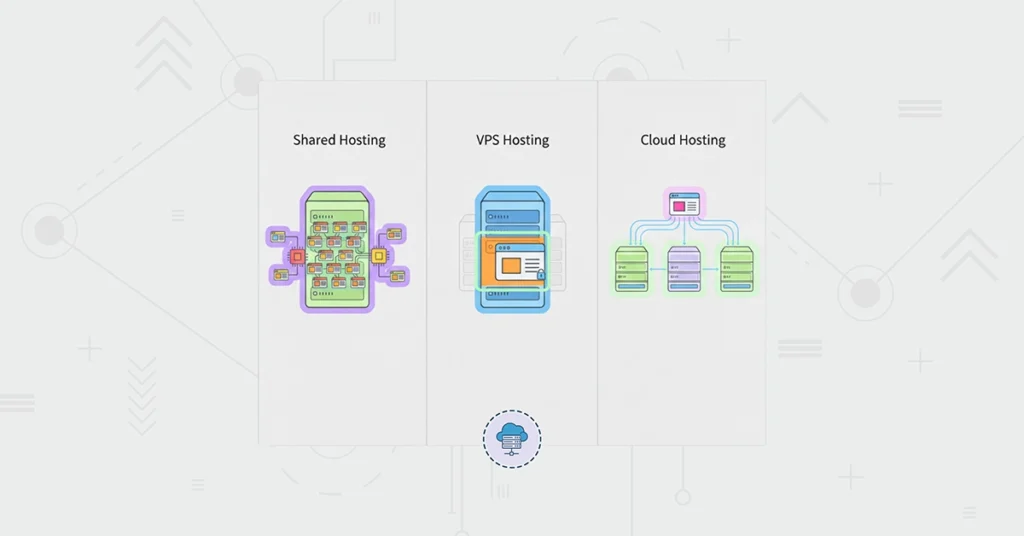
You’ve decided to build a website. Your domain name is ready. Then you hit the hosting plan page and your confidence stalls: Shared, VPS, Cloud. Prices differ, descriptions sound similar, and choosing wrong can make your site slow, insecure, or expensive.
You don’t need tech jargon. You need clarity. This guide explains each type of hosting with simple analogies, so you can match your real needs to the right service.
Think of it this way: you wouldn’t rent a warehouse for a lemonade stand, and you wouldn’t run a factory out of your garage. Choosing a hosting plan is about finding the right-sized home for your website.
For a complete beginner’s guide to hosting fundamentals, see: What Is Web Hosting? A Simple Guide for Beginners.
The Problem: One Size Does Not Fit All
Choosing a hosting plan based only on price or vague “power” is a mistake.
Pick too small, and your visitors hit the dreaded “Resource Limit Reached” error. Pick too large, and you’re wasting money on resources you’ll never use.
The real issue is understanding what your plan actually provides, how resources are allocated, and what can scale instantly. It’s less about specs and more about structure.
Even more importantly, hosting quality directly affects site speed and user experience. A cheap shared plan can make a beautiful site feel sluggish, hurting trust and engagement — something we cover in detail in Why Websites Feel Slow — And How Hosting Affects Speed.
The Insight: It’s All About Your “Server Space”
Every website lives on a powerful computer called a server. The difference lies in how your site is placed on that server. Here’s a simple analogy:
1. Shared Hosting: The Office Apartment Building
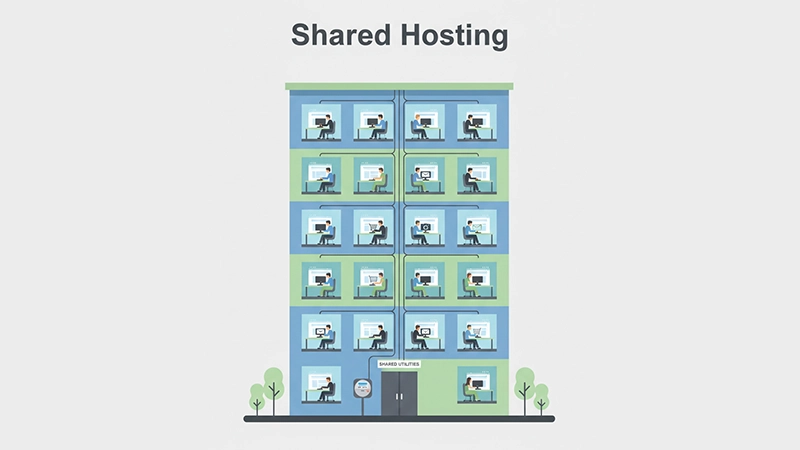
- How it works: Your site shares server resources (CPU, RAM, bandwidth) with dozens or hundreds of others.
- Analogy: Renting a small office in a large, managed complex. The landlord handles maintenance and utilities.
- Reality Check: Cost-effective and fully managed. But a surge from another tenant can slow your site temporarily.
Extra Tip: Shared hosting is ideal for personal blogs, portfolios, or small business sites. It lets beginners focus on content rather than servers.
Potential Risks:
- Sudden traffic spikes on other sites can slow your site.
- Limited control over server settings.
- Resource-heavy plugins or scripts may cause errors if overused.
2. VPS Hosting: The Townhouse with Guaranteed Space
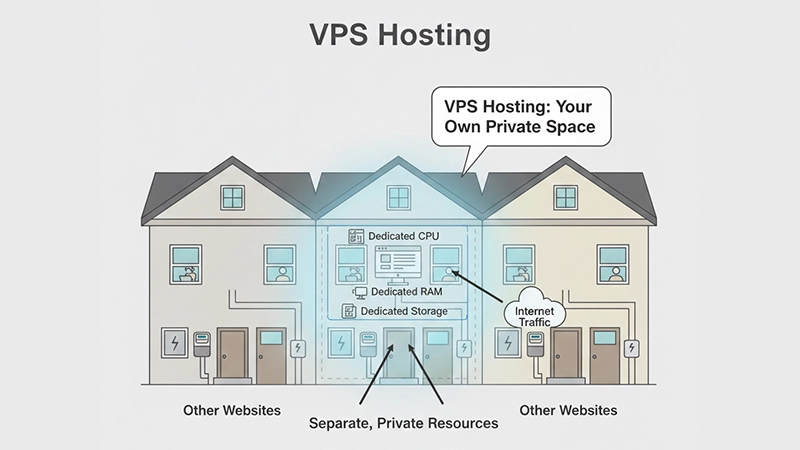
- How it works: A Virtual Private Server splits a physical server into isolated compartments. You get guaranteed resources.
- Analogy: Your own townhouse. You share a building but have private entrances, utilities, and parking. Neighbors don’t affect your space.
- Reality Check: More control, consistent performance, and upgrade flexibility. Ideal if you’ve outgrown shared hosting.
Extra Tip: VPS is perfect for medium-traffic sites, online stores, or growing communities. Managed VPS plans let you skip most technical setup, while unmanaged VPS is ideal for those comfortable with server control.
Potential Risks:
- Requires some technical knowledge for maintenance (unless managed).
- Cost is higher than shared hosting.
- Misconfigured software can create vulnerabilities if not managed properly.
3. Cloud Hosting: The Scalable Hotel Suite
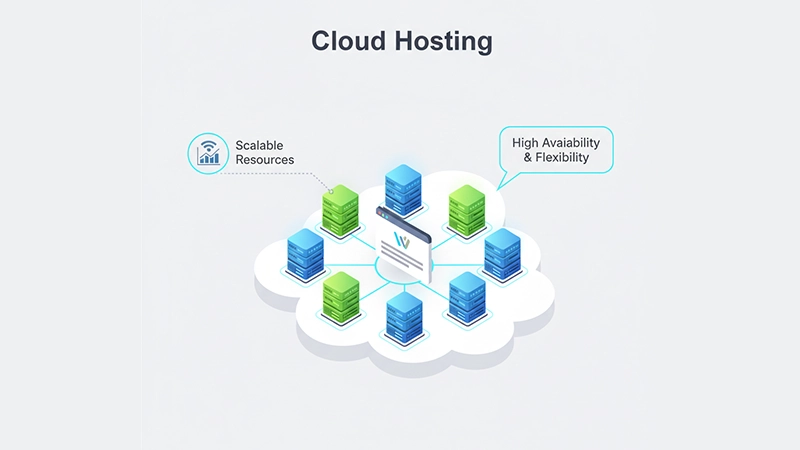
- How it works: Your site lives across a network (“cloud”) of servers. Resources scale instantly based on demand.
- Analogy: Booking a hotel suite that expands automatically if more guests arrive. You pay only for what you use.
- Reality Check: High uptime, flexible pricing, and excellent for unpredictable traffic. Perfect for mission-critical or resource-heavy sites.
Extra Tip: Cloud hosting is ideal for websites with seasonal or viral traffic spikes, SaaS platforms, large marketplaces, or complex apps that need high uptime.
Potential Risks:
- Pricing can fluctuate based on resource usage.
- Some cloud platforms require advanced setup.
- Less straightforward for beginners compared to shared hosting.
Making Your Decision Simple
Shared Hosting:
- First website, blog, or small business
- Low-to-moderate traffic
- Tight budget
- Fully managed control panel (cPanel, WordPress one-click install)
- Think: Portfolio, local restaurant, personal blog
VPS Hosting:
- Site outgrowing shared hosting
- Medium traffic business or online store
- Need custom software or root access
- Think: Growing business, niche forum, SaaS app
Cloud Hosting:
- Unpredictable traffic spikes
- Mission-critical uptime
- Complex, resource-heavy websites
- Think: Large publications, tech startups, international eCommerce
Why Hosting Choice Matters Beyond Specs
Many beginners focus only on price or listed “speed” claims. Hosting impacts:
- Performance: Slow hosting makes even a well-designed site feel sluggish, reducing engagement.
- Reliability: Downtime frustrates visitors and harms trust.
- Scalability: Cloud hosting grows automatically; VPS grows manually; shared has limits.
- Security: Shared hosting may limit advanced security options, VPS and cloud allow more control.
Even the best content can be overshadowed by a slow or unstable hosting experience. By choosing the right plan early, you save future headaches and maintain credibility with visitors.
Real-World Scenarios for Choosing Hosting
- Blogging / Small Business: Shared hosting is perfect. You can start small and upgrade later if traffic increases.
- Growing eCommerce / Medium Business: VPS ensures your site doesn’t slow down during sales, giving consistent performance.
- High-Traffic / Complex Platforms: Cloud hosting supports unpredictable traffic spikes without crashing, making it ideal for international reach or viral campaigns.
These examples help beginners visualize why hosting choice impacts real-world results.
Hosting Tips to Future-Proof Your Site
- Plan for Growth: Even if starting small, choose a host that allows easy upgrades.
- Check Server Location: Proximity to your audience reduces load times.
- Look for Support: Beginner-friendly support saves frustration during setup or downtime.
- Security Features: SSL, firewalls, backups, and updates should be included or easy to configure.
- Combine With Performance Tools: Use caching, CDNs, and optimized images — good hosting amplifies these improvements.
Following these steps makes your site future-proof for at least the next 5–10 years, even as traffic grows or technology evolves.
| Feature | Shared Hosting | VPS Hosting | Cloud Hosting |
|---|---|---|---|
| Best For | Beginners, small sites | Growing businesses | Scalable apps, spikes |
| Cost | Low | Medium | Variable |
| Performance | Can be inconsistent | Guaranteed | High & scalable |
| Control | Limited | High | High/API-driven |
| Scalability | Upgrade plan | Manual | Automatic |
| Security | Managed | Better | Advanced |
Bottom Line
For beginners, Shared Hosting is usually the perfect launchpad: low-risk, affordable, and fully managed. VPS or Cloud are upgrades when your site grows.
The goal isn’t the most powerful hosting on day one. It’s about choosing a foundation that supports growth today and scales tomorrow. Start smart, upgrade strategically, and your website will stay fast, reliable, and ready for the future.
FAQ
A1: The difference lies in how server resources are allocated. Shared hosting splits resources among many websites, VPS provides dedicated virtual resources, and cloud hosting draws resources from multiple servers that can scale as needed.
A2: Yes. Shared hosting is usually the best starting point for beginners because it’s affordable, easy to manage, and suitable for small websites with steady, low to moderate traffic.
A3: You should consider VPS hosting when your website consistently slows down, reaches resource limits, or needs more control and customization than shared hosting allows.
A4: Not always. Cloud hosting improves reliability and scalability, but actual speed also depends on server setup, location, and how well the website itself is optimized.
A5: Yes. Most websites start with shared hosting and upgrade to VPS or cloud hosting over time. Reputable hosting providers support migrations when your needs change.