
You’re early for a flight. After finding a seat, you connect to the airport’s free Wi-Fi and open your laptop. A quick bank check. A few work emails. Maybe a scroll through social media.
It feels routine. Almost harmless.
At the same time, dozens—or hundreds—of devices are connected to that same network. Most belong to regular travelers just like you. However, all it takes is one curious or malicious user for things to change.
Public Wi-Fi danger isn’t a myth. Yet it’s also not the constant disaster people imagine. The truth sits somewhere in between. The real issue isn’t panic—it’s understanding how risk appears, when it matters, and what actually protects you.
Convenience Always Comes With Exposure
Public Wi-Fi exists to remove friction. That convenience is exactly why it’s vulnerable.
To support large numbers of users, public networks often rely on:
- Open access or shared passwords
- Minimal authentication
- Basic or outdated security configurations
As a result, devices on the same network can often “see” each other at some level. This doesn’t mean everyone is spying. Instead, it means the opportunity exists.
Attackers don’t rely on certainty. They rely on access.
That distinction matters.
What Actually Happens When You Join Public Wi-Fi
Behind the scenes, connecting to public Wi-Fi follows a simple process:
- Your device joins a shared local network
- It communicates through a common router
- Data flows alongside everyone else’s traffic
If that data isn’t encrypted, it becomes readable to others on the same network using common tools.
Importantly, this doesn’t require elite hacking skills. Many monitoring tools are automated, inexpensive, and easy to use.
The danger isn’t complexity—it’s openness.
Why Public Wi-Fi Feels Risky (Even When Nothing Happens)
Interestingly, many people feel uneasy on public Wi-Fi even if they’ve never experienced an attack.
That feeling isn’t irrational.
Slow loading times, connection drops, and inconsistent responses signal uncertainty to the brain. Even without conscious thought, users associate instability with risk.
In other words, performance affects trust.
This is why public Wi-Fi often feels unsafe—even when it technically isn’t under attack.
The Most Common Public Wi-Fi Attack Methods
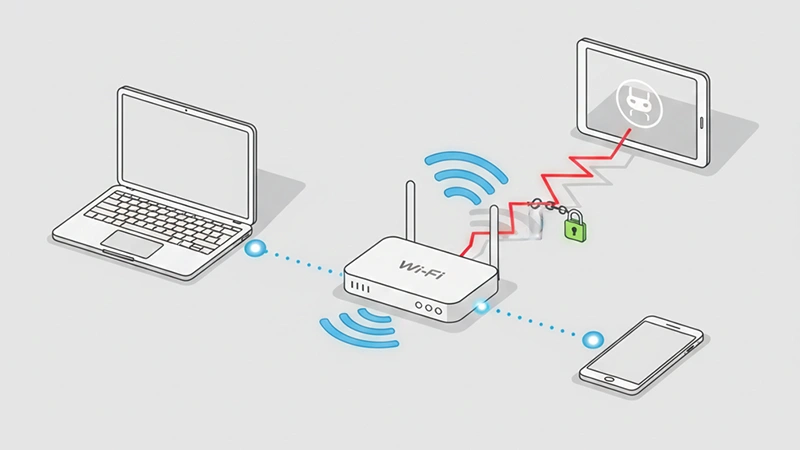
The threats aren’t cinematic. They’re practical and predictable.
1. Man-in-the-Middle (MitM) Attacks
In this scenario, a third party positions itself between your device and the internet.
This can happen when:
- Traffic is intercepted on the same network
- A fake router mirrors legitimate network traffic
Once in place, the attacker can observe or alter unencrypted data before it reaches its destination.
Think of it as digital eavesdropping—not hacking into your device, but listening to what passes through.
2. Fake or Malicious Hotspots
Instead of intercepting traffic, attackers sometimes create their own Wi-Fi networks.
They use names like:
- “Airport_Free_WiFi”
- “Hotel Guest Network”
- “Cafe WiFi 5G”
Because these names look legitimate, users connect without hesitation. From that moment, all traffic flows through the attacker’s device.
Again, the vulnerability isn’t Wi-Fi itself—it’s trust without verification.
Why Encryption Is the Real Line of Defense
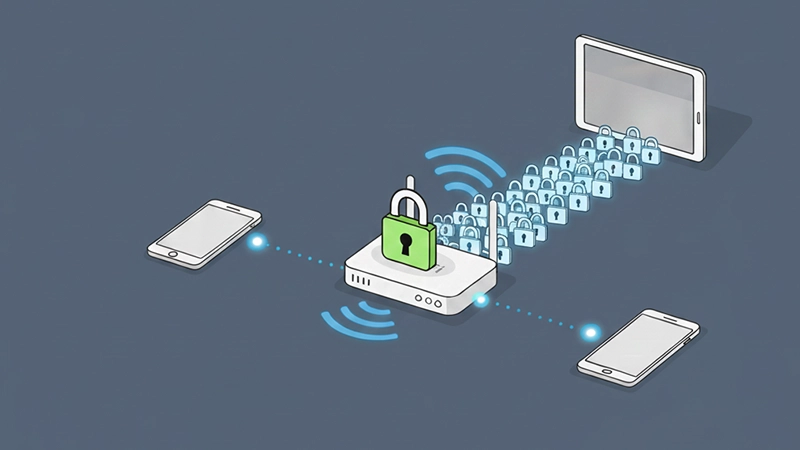
Unencrypted data is like sending a postcard.
Anyone along the route can read it.
Encrypted data, however, is sealed. Even if intercepted, it remains unreadable without the correct keys.
This distinction matters more than:
- Network speed
- Physical location
- Device brand
Encryption doesn’t prevent interception—it prevents understanding. And understanding is what attackers need.
How HTTPS Protects You (And Where It Falls Short)
HTTPS encrypts data between your browser and a website.
When active:
- Login credentials stay protected
- Form submissions are secured
- Content can’t be modified in transit
However, HTTPS has limits.
It does not:
- Hide which websites you visit
- Protect traffic to non-HTTPS sites
- Secure your entire connection
That’s why HTTPS is necessary—but not sufficient—on public Wi-Fi.
The Role of VPNs in Public Wi-Fi Safety
A VPN creates an encrypted tunnel between your device and the internet.
Before data ever reaches the public network, it’s scrambled. Even if someone intercepts it, they see nothing useful.
This makes VPNs the single most effective protection on public Wi-Fi.
For travelers, remote workers, and freelancers, VPNs aren’t optional tools—they’re baseline protection.
Why Mobile Data Is Often the Safer Choice
When dealing with sensitive actions—like banking or internal work systems—mobile data offers a private alternative.
Cellular networks:
- Don’t share traffic with nearby users
- Use carrier-grade encryption
- Reduce exposure to local attacks
Switching to mobile data isn’t about fear. It’s about choosing the right tool for the task.
Hidden Risks Most People Overlook
Public Wi-Fi danger isn’t limited to obvious attacks.
Saved Networks and Auto-Reconnect
Devices often reconnect automatically to known networks. If a malicious hotspot uses the same name, your device may connect without warning.
File Sharing and Device Visibility
Default sharing settings can expose your device to others on the same network. This is especially risky on laptops.
Outdated Software
Even encrypted connections can be exploited if the device itself has known vulnerabilities.
Security isn’t a single switch—it’s a system.
Who Is Most at Risk on Public Wi-Fi?
Risk increases if you:
- Work remotely
- Handle business or client data
- Access financial accounts
- Travel frequently
- Use older devices
For these users, layered protection isn’t paranoia—it’s responsibility.
Why Attackers Target Public Wi-Fi
Public Wi-Fi offers:
- Large numbers of potential targets
- Low effort access
- Minimal risk of detection
Attackers don’t target individuals. They target environments where opportunity outweighs effort.
Public Wi-Fi fits that model perfectly.
The Psychology of “Nothing Happened”
Many users assume public Wi-Fi is safe because nothing bad has happened to them.
That assumption is misleading.
Most successful attacks leave no visible trace. Passwords are copied silently. Data is collected quietly. Accounts may be compromised weeks or months later.
Absence of evidence is not evidence of absence.
What Using Public Wi-Fi Safely Actually Looks Like
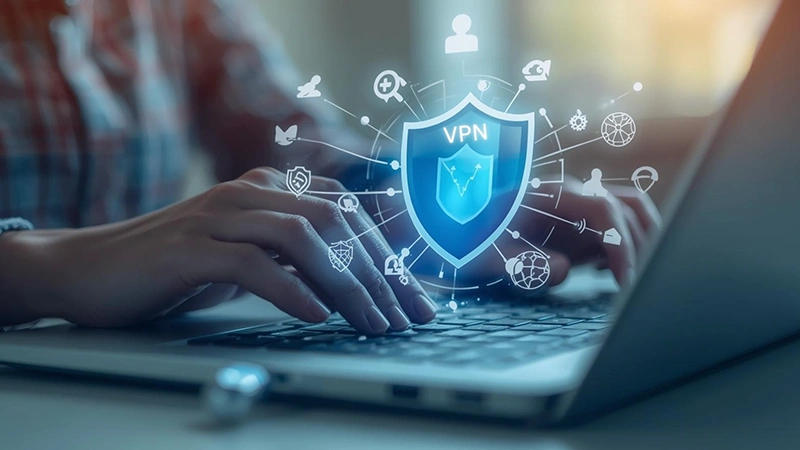
Safe use doesn’t mean avoidance. It means intention.
A realistic approach includes:
- VPN enabled before connecting
- HTTPS verification before logging in
- Mobile data for sensitive actions
- Networks forgotten after use
- Regular system updates
Each step lowers risk significantly. Together, they make you an unappealing target.
Public Wi-Fi vs. Private Networks: The Key Difference
Private networks assume trust.
Public networks assume access.
That difference changes everything.
Security on public Wi-Fi depends less on the network owner and more on your behavior.
The Bottom Line
Public Wi-Fi is neither harmless nor inherently dangerous.
It’s an open environment.
Used casually, it exposes data.
Used consciously, it becomes manageable.
You don’t need fear.
You need awareness.
Because the goal isn’t to avoid public Wi-Fi—it’s to use it on your terms.
FAQ
A1: Public Wi-Fi itself isn’t automatically dangerous, but it is less secure than private networks. Because many public networks use weak or no encryption, attackers may intercept unprotected data if users aren’t careful.
A2: Login credentials, emails, personal messages, and unencrypted website data are the most vulnerable. Sensitive activities like online banking or accessing work systems carry higher risk on public networks.
A3: HTTPS encrypts the connection between your browser and a website, which helps protect passwords and form data. However, it doesn’t hide which websites you visit or fully protect you from network-level attacks.
A4: Yes. A VPN encrypts all internet traffic from your device, making it extremely difficult for anyone on the same network to read or intercept your data. It’s one of the most effective protections available.
A5: Not necessarily. Public Wi-Fi can be used safely if you follow basic precautions like using a VPN, avoiding sensitive logins, keeping software updated, and disconnecting when you’re done.
A6: Yes. Mobile data connections are private and encrypted by default, making them significantly safer for sensitive tasks compared to shared public Wi-Fi networks.