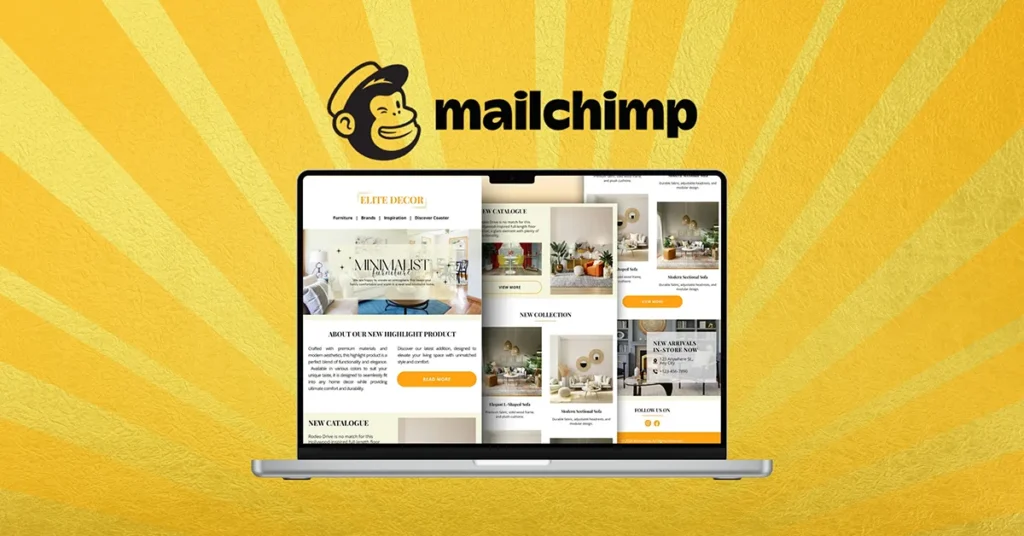
Email marketing remains one of the most reliable ways to connect with customers. Even in an era of social media and AI tools, email still delivers direct access, control, and long-term value.
For beginners and small business owners, the challenge isn’t whether email marketing works — it’s how to do it properly without technical skills or a big budget.
That’s where Mailchimp comes in. And for those who want professional-looking emails without learning design, many turn to Fiverr designers to complete the workflow.
This guide explains why Mailchimp is good for email marketing, how people use Fiverr to design Mailchimp templates, and why this combination is practical and effective in real-world use.
The Problem: Email Marketing Sounds Simple, But Isn’t
On the surface, email marketing looks easy:
- Write an email
- Send it to subscribers
- Get clicks and sales
In reality, beginners struggle with:
- Setting up email lists
- Designing emails that look professional
- Avoiding spam folders
- Understanding analytics
- Managing automation
Many tools are either too complex or too limited, which leads to frustration and abandoned campaigns.
Why Mailchimp Is Popular With Beginners and Small Businesses
Mailchimp has stayed relevant for years because it focuses on usability first. You don’t need to be a marketer or developer to get started.
Here’s why it works so well for beginners.
Simple Setup With a Clean Dashboard
Mailchimp’s interface is designed for non-technical users.
You can:
- Create an account in minutes
- Build an email list easily
- Import contacts safely
- Start a campaign without advanced setup
Everything is clearly labeled, which reduces the learning curve for first-time users.
Drag-and-Drop Email Builder
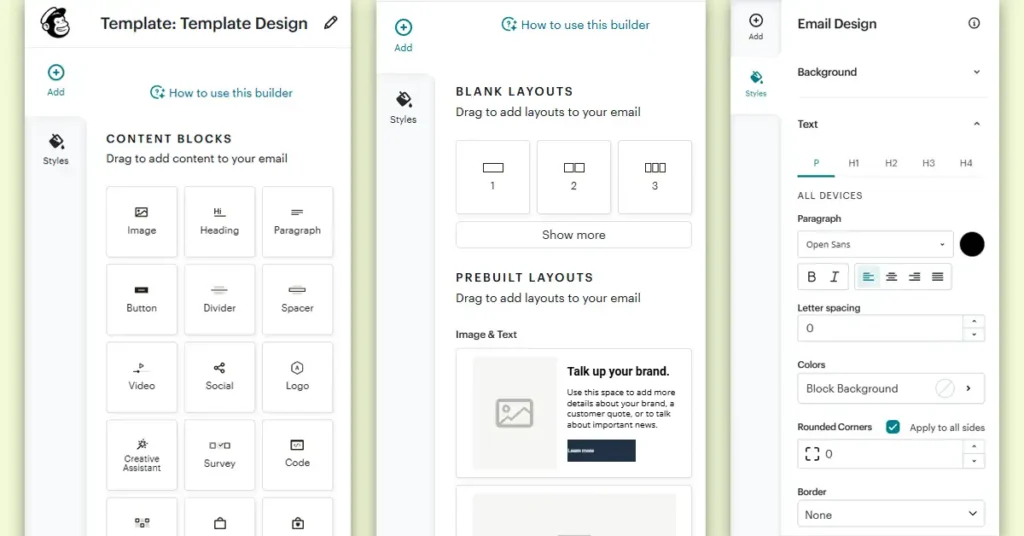
One of Mailchimp’s strongest features is its drag-and-drop email editor.
You can:
- Add text blocks
- Insert images
- Create buttons
- Adjust spacing and layout
No coding is required. This alone makes Mailchimp approachable for small businesses that don’t have a design team.
Built-In Email Templates
Mailchimp includes ready-made templates for:
- Newsletters
- Promotions
- Announcements
- Product updates
These templates are mobile-responsive and tested, which helps beginners avoid common layout issues.
However, built-in templates can feel generic — and that’s where many users look for customization.
Automation Without Complexity
Mailchimp allows beginners to use automation without feeling overwhelmed.
Examples include:
- Welcome emails
- Abandoned cart reminders
- Follow-up sequences
- Birthday or anniversary emails
These automations can run in the background while you focus on your business.
Clear Analytics for Non-Experts
Mailchimp’s reports are easy to understand:
- Open rates
- Click rates
- Audience engagement
- Campaign performance
You don’t need marketing experience to see what’s working and what’s not.
The Limitation: Design Still Matters
Even with a good tool, many beginners face one issue:
“My emails don’t look professional.”
Design plays a big role in:
- First impressions
- Brand trust
- Click-through rates
- Overall engagement
Learning email design takes time, and small businesses often don’t have that luxury.
This is why many Mailchimp users turn to Fiverr.
How People Use Fiverr Designers for Mailchimp
Fiverr connects businesses with freelance designers who specialize in Mailchimp email templates.
Instead of learning design tools or coding, users outsource this part.
What Fiverr Designers Actually Do
A Mailchimp-focused Fiverr designer can:
- Design custom email templates
- Match your brand colors and fonts
- Create reusable layouts
- Optimize for mobile devices
- Export designs ready for Mailchimp
Some designers even provide:
- Editable templates
- Brand style alignment
- Basic layout guidance
Why This Workflow Makes Sense
Using Mailchimp + Fiverr is practical because it splits the work logically:
- Mailchimp handles the system
(sending, automation, analytics) - Fiverr designers handle the visuals
(layout, branding, presentation)
This allows beginners to focus on content and strategy, not design stress.
Cost-Effective for Small Businesses
Hiring a full-time designer is expensive.
Learning professional email design takes time.
Fiverr offers:
- Flexible budgets
- One-time design projects
- Fast turnaround
For small businesses, this is often the most realistic option.
Custom Templates Improve Brand Consistency
With custom-designed templates:
- Emails look consistent
- Branding feels professional
- Subscribers recognize your emails instantly
You can reuse the same design across multiple campaigns, which saves time long-term.
Real-World Example Workflow
A common workflow looks like this:
- Create a Mailchimp account
- Define your brand colors and logo
- Hire a Fiverr designer for an email template
- Import the design into Mailchimp
- Reuse the template for future campaigns
This setup works for:
- Bloggers
- Online stores
- Local businesses
- Freelancers
- Startups
Is This Approach Beginner-Friendly?
Yes — because:
- You don’t need design skills
- You don’t need coding knowledge
- You control everything inside Mailchimp
- The designer handles only the visual part
Once the template is ready, running campaigns becomes much easier.
Things to Watch Out For
To keep things smooth:
- Choose designers with Mailchimp experience
- Share clear brand guidelines
- Ask for editable templates
- Test emails before sending
Mailchimp’s preview and test tools help avoid issues.
The Bigger Picture: Tools + People Work Better Together
Mailchimp alone is powerful.
Designers alone are helpful.
Together, they solve the two biggest beginner problems:
- How to send emails
- How to make them look professional
This combination is practical, scalable, and realistic for small teams.
Final Thoughts
Mailchimp is good for email marketing because it removes technical barriers and keeps things simple. For beginners and small business owners, that matters more than advanced features.
When paired with Fiverr designers, Mailchimp becomes even more useful:
- Better design
- Stronger branding
- Less frustration
- Better engagement
You don’t need to do everything yourself.
You just need the right tools — and the right help.
Recommended Fiverr Designer for Mailchimp Templates
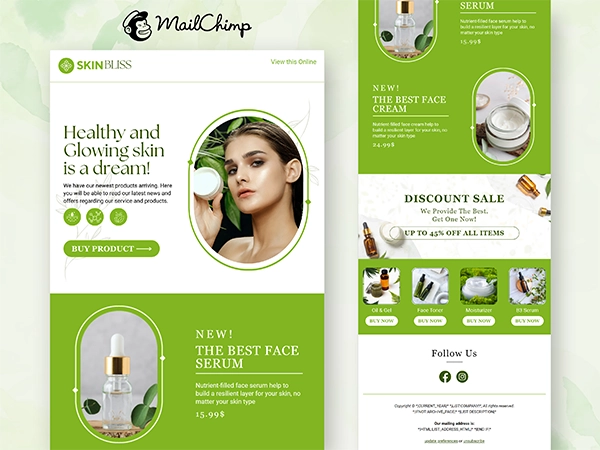
If you’re looking for professional Mailchimp email template design, we came across a Top Rated Fiverr seller who specializes in this area. We reviewed the profile and are sharing the gig link here for reference, so you can explore it yourself and decide if it fits your needs:
Always review the seller’s portfolio, ratings, and gig details before placing an order to make sure it aligns with your brand requirements.
FAQ
A1: Mailchimp is easy to use and doesn’t require technical skills. It offers ready-made templates, simple automation, and clear analytics, making it ideal for beginners and small businesses.
A2: No. Mailchimp’s built-in templates work well for basic emails. However, custom designs can help your emails look more professional and on-brand.
A3: Fiverr designers can create custom templates that match your brand’s style. This saves time and helps your emails stand out in crowded inboxes.
A4: Yes, if you choose sellers with good reviews and a strong portfolio. Top-rated designers usually have experience with Mailchimp and understand email best practices.
A5: They often do. A clean, branded design can improve readability, trust, and click-through rates compared to generic templates.