
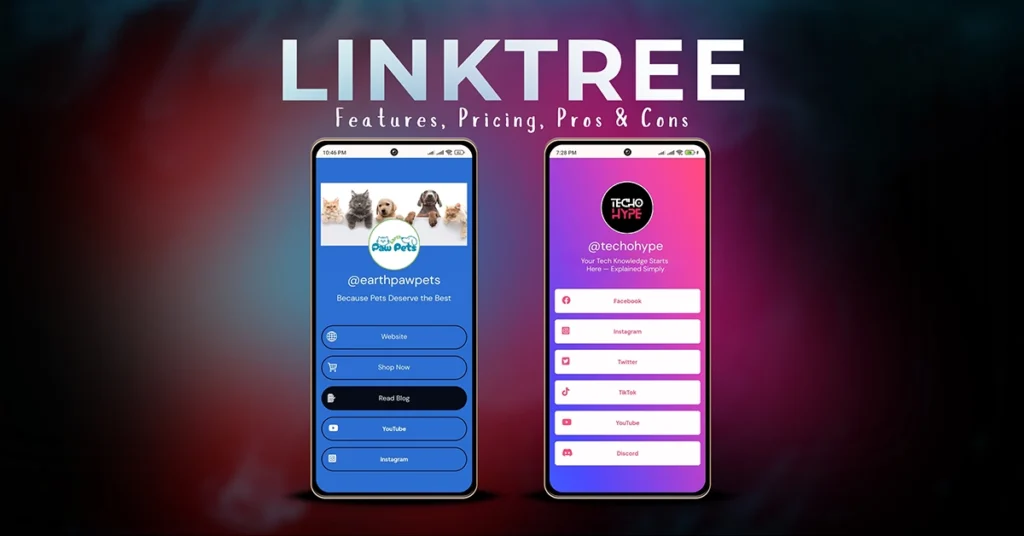
You need a bio link. Your first thought is probably Linktree—and for good reason. It’s the platform that turned “link in bio” into a universal phrase. But in 2026, with smarter and more specialized competitors entering the market, an important question comes up:
Is Linktree still the right choice, or just the most familiar one?
This review cuts through the hype and looks at Linktree as it actually stands today—what it does well, where it falls short, and who it’s truly built for. If you’re a creator, freelancer, or small business owner, choosing the right bio link platform now can save you from switching tools later.
Linktree Review at a Glance (2026)
- Best for: Beginners, influencers, small businesses
- Free plan: Yes (with branding)
- Starting price: ~$7/month
- Key strength: Ease of use + brand recognition
- Main limitation: Limited design control
What Is Linktree?
Launched in 2016 by Anthony Zaccaria, Alex Zaccaria, and Nick Zaccaria, Linktree was created to solve one simple problem: social platforms allow only one clickable link in a profile.
Linktree lets you place one link in your bio that opens a page containing multiple destinations—websites, stores, videos, contact pages, and more. Over time, it evolved from a basic link list into a full bio link platform used by 50+ million users worldwide.
While many people use “Linktree” as a generic term, it’s important to remember that it’s a specific tool, not the category itself.
Common use cases include:
- Influencers sharing videos, brand deals, and affiliate links
- Freelancers linking portfolios, booking pages, and résumés
- Local businesses promoting menus, online orders, and contact info
If you want a deeper explanation of how bio links work overall, see our complete guide on how bio link pages work for creators and businesses.
Key Linktree Features (2026)
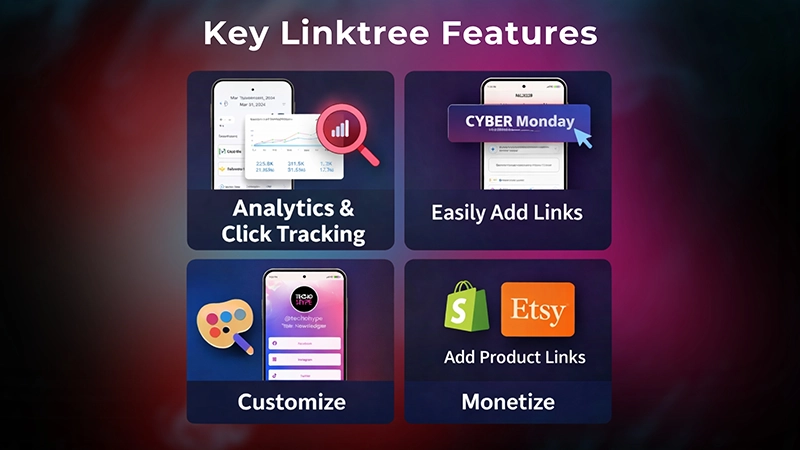
Linktree focuses on simplicity first, with useful features layered on top.
Unlimited Links & Customization
Even the free plan allows unlimited links. Paid plans unlock:
- Custom colors and fonts
- Button styles
- Brand consistency options
Customization is clean and professional, but still limited compared to full website builders.
Analytics & Click Tracking
Linktree provides built-in analytics, including:
- Profile views
- Individual link clicks
- Audience location data
Higher plans offer more detailed insights, helping creators understand which links actually convert.
Monetization & Integrations
Linktree integrates directly with major platforms, including:
- E-commerce: Shopify, Etsy, Square
- Payments: PayPal, Ko-fi, Venmo
- Media: YouTube, Spotify, TikTok
- Email capture: Built-in signup forms
These integrations make Linktree especially useful for influencers and content creators who want fast setup without technical work.
Linktree for Business & Team Access
For brands and agencies, Linktree offers:
- Multi-user access
- Advanced analytics
- Brand-level control
This makes it suitable not just for individuals, but also for teams managing multiple profiles.
Linktree Pricing Plans (2026)
| Plan | Price | Best For | Key Limits |
|---|---|---|---|
| Free | $0 | Personal use, testing | Branding, limited design |
| Starter | ~$7/month | Creators & small businesses | Basic analytics |
| Pro | ~$14/month | Monetized creators | Advanced analytics |
| Premium | Custom | Brands & agencies | Enterprise-focused |
Upgrade advice:
- Upgrade to Starter if you want to remove Linktree branding
- Upgrade to Pro if you care about analytics or email capture
Pros and Cons of Linktree
✅ Pros
- Extremely easy to set up (minutes, not hours)
- Globally recognized and trusted
- Fast-loading and reliable
- Strong third-party integrations
❌ Cons
- Limited design flexibility
- Branding locked behind paid plans
- Less creative control than alternatives like Carrd
- Not ideal for niche creators (streamers, advanced marketers)
Linktree vs Other Bio Link Platforms
Compared to newer tools:
- Linktree vs Beacons:
Linktree is simpler and more recognizable. Beacons offers deeper creator monetization tools. - Linktree vs Zaap AI:
Linktree is general-purpose. Zaap AI is built for streamers and live communities. - Linktree vs Carrd:
Linktree is a link hub. Carrd is closer to a mini-website with full design control.
For a broader comparison, check our detailed breakdown of the best bio link platforms available in 2026.
Who Should Use Linktree?
Linktree is ideal if you are:
- A beginner setting up your first bio link
- An influencer who values speed and reliability
- A freelancer or small business needing a clean, professional hub
Need a Professional Linktree Setup Without Doing It Yourself?
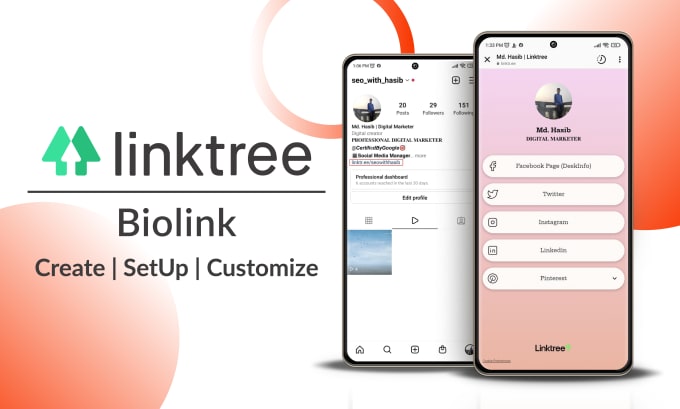
If you want a professionally designed Linktree page without spending hours on setup, working with an experienced specialist can make a real difference.
One reliable option is this professional Linktree setup service on Fiverr, offered by a Top Rated Seller with proven experience in optimizing layouts, branding, and link structure for better conversions. This service is especially helpful if you want your bio link to look polished, on-brand, and conversion-ready from day one.
Whether you’re a creator, business owner, or freelancer, outsourcing the setup can save time and ensure your Linktree is built with best practices in mind—so you can focus on growing your audience instead of tweaking links.
Who Should NOT Use Linktree?
You may want an alternative if:
- You need advanced customization or SEO control
- You run a streaming or gaming community
- You want built-in digital product sales or invoicing
In those cases, platforms like Beacons, Zaap AI, or Carrd may be a better fit.
Final Verdict: Is Linktree Worth It in 2026?
Yes—for its core audience.
Linktree remains one of the most reliable and beginner-friendly bio link tools available. It’s not the most customizable or powerful option, but it doesn’t try to be. It focuses on simplicity, speed, and trust, and it delivers on those promises well.
If you want a professional bio link live today—with minimal effort—Linktree is still one of the safest choices in 2026.
FAQ
A1: Yes. Linktree has a free plan with unlimited links, but it includes branding and limited customization. Paid plans unlock better design and analytics.
A2: Not really. Linktree is built for social traffic, not search engine rankings. It works best as a bio link, not a full website.
A3: Yes. You can link products, accept tips, and integrate stores like Shopify.
A4: Yes—for beginners, creators, and small businesses that want a fast, reliable, and recognizable bio link.
A5: If you want a polished, branded page without spending time on setup, hiring a specialist can improve design and conversions.
A6: Upgrade when you want to remove Linktree branding, track clicks, or use it for business or monetization.