
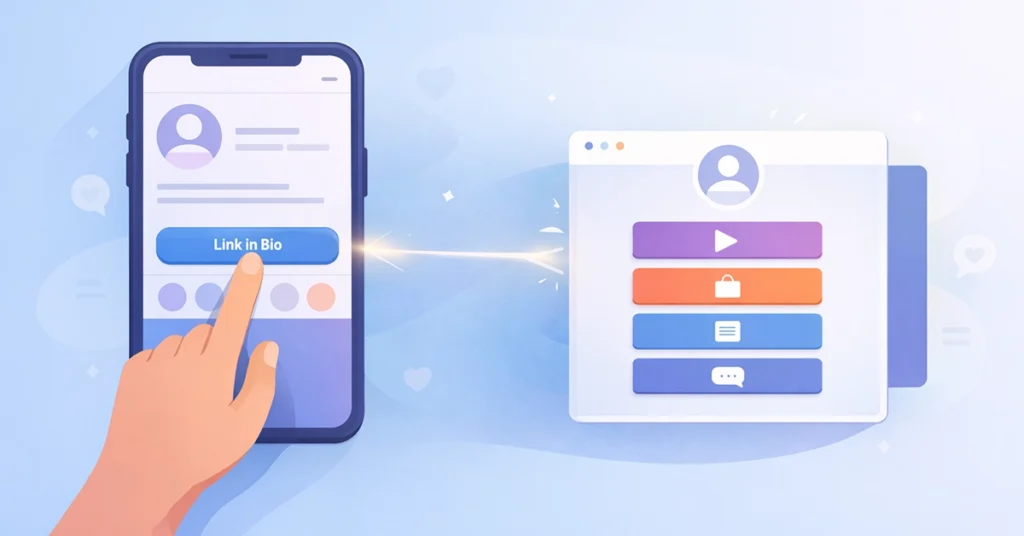
You’re scrolling through Instagram or TikTok and see a post about a helpful blog, a new product, or a must-watch video. The caption ends with three familiar words:
“Link in bio.”
You tap the profile, click the link, and land somewhere else on the web. Sometimes it’s exactly what you expected. Other times, it’s confusing. If you’ve ever wondered why everyone uses this phrase, what it actually means, or how it works behind the scenes, this guide will clear it up.
“Link in bio” isn’t marketing jargon. It’s a simple solution to a real platform limitation — and it plays a key role in how creators and businesses move people off social media.
Why “Link in Bio” Exists in the First Place
Most social media platforms are designed to keep users scrolling inside the app. Because of this, they limit how links work.
On platforms like Instagram and TikTok:
- Post captions don’t allow clickable links
- Stories allow links, but they disappear
- Profiles allow only one clickable URL
That single link becomes the only gateway to everything you want to share.
This creates a problem:
- You may have a website, product page, blog post, and newsletter
- Your audience may want different things
- But you can only link to one destination
So instead of placing links everywhere, creators started directing people to the one place they can link — the bio.
That’s how the phrase “link in bio” became universal.
What “Link in Bio” Actually Means
At its simplest, “link in bio” means the clickable URL placed in the biography section of a social media profile.
But today, it usually means something more specific.
Instead of linking to a single website, most people now use a bio link page — a dedicated page that contains multiple links in one place.
So when someone says “link in bio,” they’re usually referring to:
- The instruction: “Go to my profile and click the link”
- The destination: A bio link page that lists everything they want to share
This is why “link in bio” and “bio link” are often used interchangeably.
What a Bio Link Page Looks Like (Real Examples)
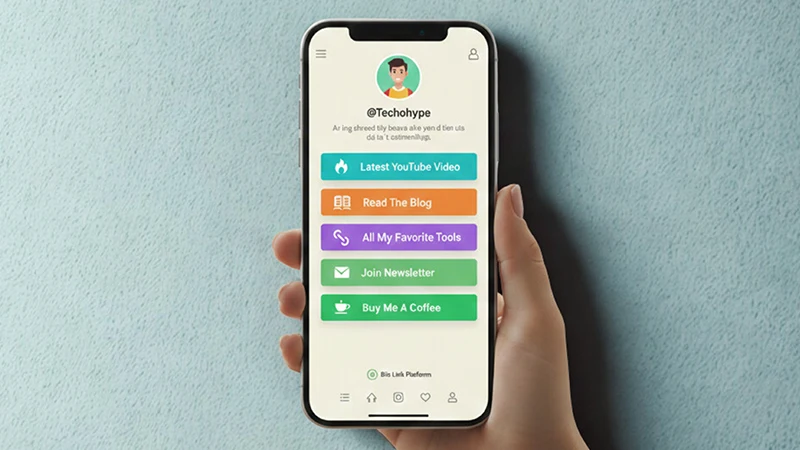
A bio link page is usually mobile-friendly, clean, and simple. It acts like a mini homepage.
Here are some real-world examples:
Example 1: Content Creator
Profile: @TechCreator
Bio Link Page Includes:
- Latest YouTube video
- Blog articles
- Newsletter sign-up
- Affiliate tools
- Contact link
Example 2: Small Business
Profile: @LocalCoffeeShop
Bio Link Page Includes:
- Online menu
- Order delivery
- Buy gift cards
- Location & hours
- Contact page
Example 3: Freelancer or Professional
Profile: @UXDesigner
Bio Link Page Includes:
- Portfolio website
- Resume download
- Booking calendar
- LinkedIn profile
- Email contact
The pattern is the same every time:
One bio link → multiple destinations
How Link in Bio Tools Work (Step by Step)
You don’t need to build a website or write code. Link-in-bio tools make this process simple.
Here’s how it works:
Step 1: Choose a Bio Link Platform
Popular options include:
- Linktree
- Beacons AI
- Zaap AI
- Carrd
These platforms are built specifically to create bio link pages.
Step 2: Create Your Bio Link Page
Inside the platform dashboard, you:
- Add buttons or links
- Arrange them in order of importance
- Customize colors, images, and layout
The platform gives you a single URL (for example: linktr.ee/yourname).
Step 3: Add the Link to Your Bio
You copy that URL and paste it into:
- Instagram bio
- TikTok bio
- Twitter (X) profile
- LinkedIn profile
From that moment on, every “link in bio” points to the same hub, even when you update the links inside it.
Why Link in Bio Matters More Than Ever
As social platforms grow, creators and businesses rely more on owned traffic — traffic they control.
A link in bio helps because it:
- Removes friction for visitors
- Gives users choice instead of forcing one destination
- Keeps your profile evergreen
- Supports multiple goals at once
If you want a deeper explanation of how bio links work as a long-term growth strategy, our full guide on what a bio link is and why it matters breaks it down in detail.
Common Mistakes Beginners Make
Many people set up a link in bio but don’t use it effectively.
Avoid these mistakes:
- Linking to only one page instead of a hub
- Never updating links
- Overloading the page with too many options
- Not prioritizing the most important link at the top
A good bio link page is focused, clear, and easy to scan.
Is “Link in Bio” Only for Influencers?
Not at all.
Link in bio tools are used by:
- Bloggers
- Freelancers
- Online stores
- Coaches
- SaaS brands
- Local businesses
If you share content on social media and want people to take action elsewhere, a link in bio is useful.
Final Thoughts
“Link in bio” started as a workaround. Today, it’s a standard part of social media strategy.
It solves a simple problem:
- Platforms limit links
- You need flexibility
By using a bio link page, you turn one restricted profile link into a functional hub that works for every post, campaign, and update.
Once you understand how it works, you’ll never go back to switching links manually again.
FAQ
A1: “Link in bio” refers to a clickable URL placed in a social media profile’s bio section. It directs followers to important content like websites, products, videos, or multiple links through a bio link tool.
A2: Creators use a link in bio to share multiple resources from one place. Since platforms like Instagram and TikTok allow limited clickable links, a bio link helps drive traffic to websites, stores, content, and offers.
A3: A bio link tool is a platform that lets you create a single landing page containing multiple links. Tools like Linktree, Beacons, and other interactive bio platforms help creators organize content, track clicks, and monetize audiences.
A4: A link in bio works by sending followers from social media profiles to a central page where they can access multiple links, products, or content. Users click the bio link and choose where they want to go next.
A5: Influencers, businesses, freelancers, coaches, YouTubers, and online brands all benefit from using a link in bio page. It helps manage multiple links and improves traffic, conversions, and audience engagement.
A6: Yes. In 2026, a link in bio is essential for creators and businesses because it acts as a mini landing page for traffic, branding, and monetization across social platforms.