The Hook: When Your Computer Stops Feeling Fast
It usually starts small.
A browser tab takes longer to load.
An app hesitates before opening.
Your system feels slightly less responsive than it used to.
Then one day, everything slows down at once. Your computer freezes, multitasking becomes painful, and a spinning loading icon replaces instant results. At that moment, one familiar question appears:
“Do I need more RAM?”
This question frustrates millions of users every year. Some people upgrade too late. Others overspend on memory they never fully use. Meanwhile, advice online feels outdated or overly technical.
As we move toward 2026, this confusion increases. Software is heavier, operating systems are smarter, and AI features are no longer optional extras. If you rely on old RAM recommendations, you may end up with a system that feels slow far sooner than expected.
Let’s break it down—clearly and honestly.
The Problem: “Enough RAM” Doesn’t Mean What It Used To
RAM (Random Access Memory) is your computer’s short-term working area. It temporarily holds everything your system needs to access quickly:
- Open applications
- Browser tabs
- Active files
- Background services
When RAM fills up, your computer doesn’t stop working—but it slows down dramatically. Data gets pushed to storage, and even fast SSDs can’t keep up with real-time memory needs.
In the past, advice like “8GB is fine for basic use” made sense. Today, that advice no longer reflects how people actually use computers.
By 2026, three major shifts make low-RAM systems feel outdated faster than ever:
1. Software Has Become Heavier
Modern apps do far more than before. Browsers run like mini operating systems. Productivity tools sync in real time. Even simple apps load more assets in memory than they did just a few years ago.
2. AI Runs Locally Now
AI is no longer only cloud-based. Features like live captions, image processing, voice tools, and smart assistants increasingly run directly on your PC. These tools rely on RAM to stay fast and responsive.
3. Background Tasks Never Stop
Security software, cloud backups, messaging apps, system services, and auto-updaters quietly use RAM all day long—before you even open your main app.
As a result, buying “just enough” RAM often means buying a computer that feels old too soon.
The Insight: RAM Is Your Computer’s Workbench
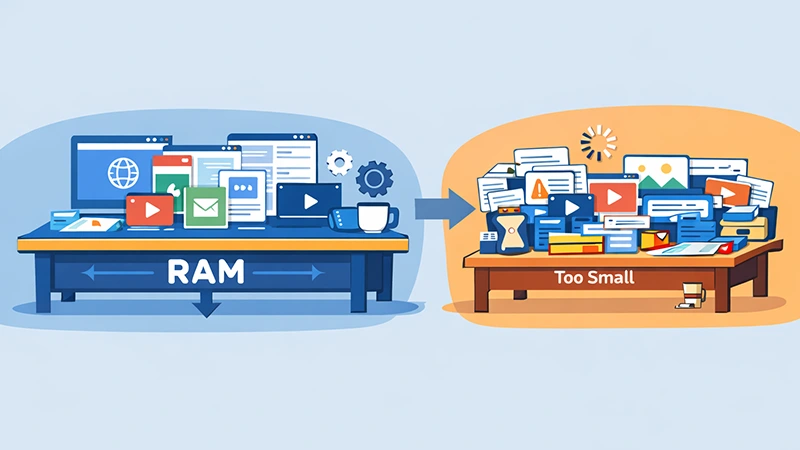
A helpful way to understand RAM is through a simple analogy:
- Storage (SSD or HDD) is your warehouse
- RAM is your workbench
Your warehouse can be huge, but if your workbench is small, productivity suffers. You constantly move items back and forth instead of working smoothly.
In 2026, your digital workbench must handle:
- More apps running simultaneously
- Larger files and assets
- AI processes operating in the background
The real goal isn’t meeting minimum requirements. Instead, it’s creating headroom—extra space that keeps your system responsive even as software evolves.
This is why RAM affects how a computer feels more than most other components.
The Solution: RAM Recommendations for 2026 (By Real Use Case)
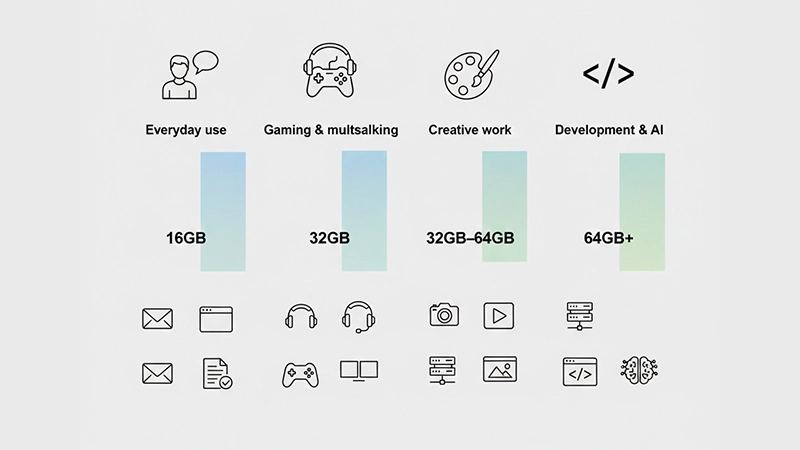
Instead of guessing, let’s match RAM amounts to actual usage patterns.
✅ Casual Users (Web, Email, Office Apps)
Recommended RAM in 2026: 16GB
If you mainly browse the web, watch videos, attend online meetings, and use office tools, 16GB is the new baseline.
Why this matters:
- Smooth performance with many browser tabs
- Better handling of system updates
- Enough room for AI-powered OS features
While 8GB may still function, it leaves little room for growth. By contrast, 16GB keeps everyday tasks stress-free for years.
🎮 Multitaskers & Gamers
Recommended RAM in 2026: 32GB
Modern gaming rarely happens in isolation. Gamers run browsers, chat apps, music players, and recording tools alongside games.
With 32GB:
- Games load more smoothly
- Background apps don’t cause stutters
- Streaming and multitasking feel effortless
For most new PCs built to last four to five years, 32GB offers the best balance of performance and longevity.
🎨 Creative Professionals
Recommended RAM in 2026: 32GB–64GB
Creative work scales quickly with file size and complexity.
- 32GB works well for photo editing, 4K video, and design work
- 64GB becomes essential for 8K video, complex 3D projects, and large creative libraries
At this level, RAM directly improves workflow speed, preview performance, and export times.
💻 Developers & AI Enthusiasts
Recommended RAM in 2026: 64GB or more
Developers and AI users push memory harder than most.
RAM is consumed by:
- Local servers and databases
- Virtual machines
- Code editors and compilers
- Local AI models and experiments
For these users, RAM isn’t about comfort—it’s about productivity. More memory means less waiting and faster iteration.
Quick RAM Guide for 2026
| Usage Type | Recommended RAM |
|---|---|
| Everyday use | 16GB |
| Gaming & multitasking | 32GB |
| Creative work | 32GB–64GB |
| Development & AI | 64GB+ |
Beyond Capacity: RAM Details That Still Matter
Although capacity is the biggest factor, a few technical details are worth knowing.
Dual-Channel Matters
Using two RAM sticks instead of one allows your system to access memory faster. This improves overall responsiveness, especially in gaming and multitasking.
Leave Room to Upgrade
If possible, choose a system that allows future RAM upgrades. Software demands grow, and having this flexibility extends your device’s lifespan.
Platform Compatibility
Make sure your system supports the amount of RAM you plan to install. Some laptops limit upgrades, while desktops are more flexible.
Why RAM Matters More Than Ever in the AI Era
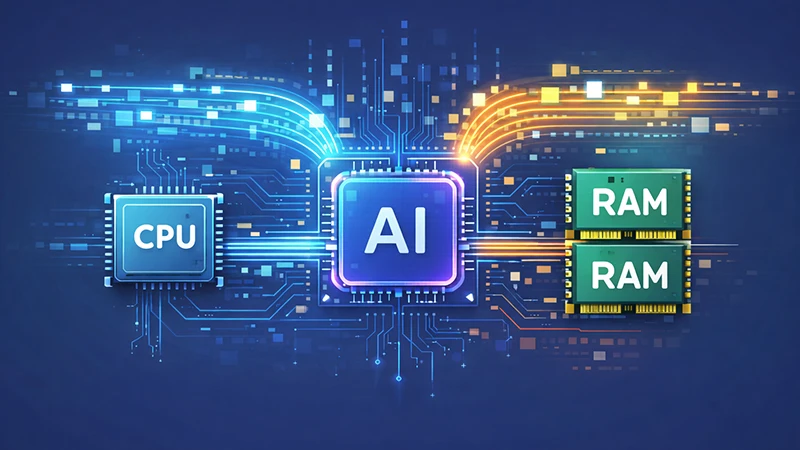
AI doesn’t just rely on CPUs and GPUs. It depends heavily on memory.
As explained in our guide on how AI uses data, AI features constantly move information between memory and processors. If RAM is limited, performance drops quickly.
In short:
- AI needs fast access to data
- RAM provides that access
- More RAM = smoother AI experiences
This makes memory capacity a key factor in future-ready systems.
Common RAM Myths (And the Truth)
“More RAM always makes things faster”
Not always—but insufficient RAM definitely makes things slower.
“I can upgrade later, so it doesn’t matter”
Some laptops have soldered RAM. If you can’t upgrade, choosing enough upfront is critical.
“RAM speed is more important than size”
Size comes first. Speed helps, but capacity prevents bottlenecks.
The Bottom Line: Buy for Your Future Self
Saving a small amount of money by choosing less RAM often leads to daily frustration later. What feels acceptable today may feel slow much sooner than expected.
For 2026:
- 16GB is the realistic minimum
- 32GB is the smartest long-term choice for most users
- 64GB+ is ideal for advanced workloads and AI
RAM is one of the few upgrades that directly improves how your computer feels. Choosing wisely now means fewer regrets later.
Invest in a larger workbench. Your future self will thank you.
FAQ
A1: For most users, 16GB is the minimum for smooth performance in 2026. However, 32GB is recommended for gaming, multitasking, and long-term use.
A2: 8GB may still work for very light tasks, but it will feel increasingly slow as software and operating systems become more demanding.
A3: No. Many modern games and background apps benefit from 32GB, especially if you multitask, stream, or want future-proof performance.
A4: Yes. AI-powered tools running locally depend heavily on RAM to process data quickly and efficiently.
A5: No. Having more RAM does not slow your system. However, unused RAM won’t increase speed beyond what your workload requires.