Artificial Intelligence sounds like something futuristic, complex, and far away from daily life. However, the truth is much simpler: AI is already working quietly inside the apps you use every day.
You don’t need to be a developer, data scientist, or tech expert to use AI. In fact, most people use AI daily without even realizing it.
So what is AI actually doing inside everyday apps?
Not the hype. Not science fiction. Just real, practical examples.
Let’s break it down clearly and simply.
The Problem: AI Feels Abstract and Overhyped
When people hear “AI,” they often think of:
- Robots replacing jobs
- Advanced tools only big companies use
- Complicated systems that require technical skills
This creates confusion and unnecessary fear.
In reality, AI’s biggest impact is not dramatic — it’s practical. It focuses on saving time, reducing effort, and improving user experience.
The best AI doesn’t announce itself.
It just makes apps feel smarter.
The Core Insight: AI Is Used to Reduce Effort, Not Replace Apps
AI is not replacing apps.
It’s reducing the steps required to use them.
Instead of you clicking, searching, organizing, and correcting things manually, AI handles those steps in the background.
The goal is simple:
Help users get results faster with less friction.
Let’s look at where this happens in real life.
1. AI in Messaging and Email Apps
Smarter Email Sorting
Apps like Gmail and Outlook use AI to:
- Filter spam
- Categorize emails (Primary, Promotions, Updates)
- Highlight important messages
You don’t manually train these systems. AI learns from patterns automatically.
Suggested Replies and Writing Help
When you see short reply suggestions like:
- “Sounds good”
- “Thanks, I’ll check”
That’s AI analyzing context and predicting likely responses.
Some email apps also:
- Suggest better wording
- Fix grammar
- Improve tone
This helps users communicate faster without writing everything from scratch.
2. AI in Photo and Gallery Apps
Automatic Organization
Photo apps such as Google Photos and Apple Photos use AI to:
- Detect faces
- Group photos by people
- Identify objects like food, pets, or documents
You can search for “dog” or “beach” without tagging anything yourself.
Image Enhancement
AI also improves image quality by:
- Adjusting brightness and contrast
- Reducing noise
- Sharpening details
This happens instantly, without manual editing.
3. AI in Social Media Apps
Feed Personalization
Social media apps rely heavily on AI to decide:
- What posts you see
- Which videos appear first
- What content keeps you engaged
AI analyzes:
- Likes
- Watch time
- Shares
- Comments
Based on behavior, the app adapts your feed in real time.
Content Moderation
AI helps detect:
- Spam
- Fake accounts
- Harmful content
While not perfect, it reduces manual moderation and keeps platforms usable at scale.
4. AI in Maps and Navigation Apps
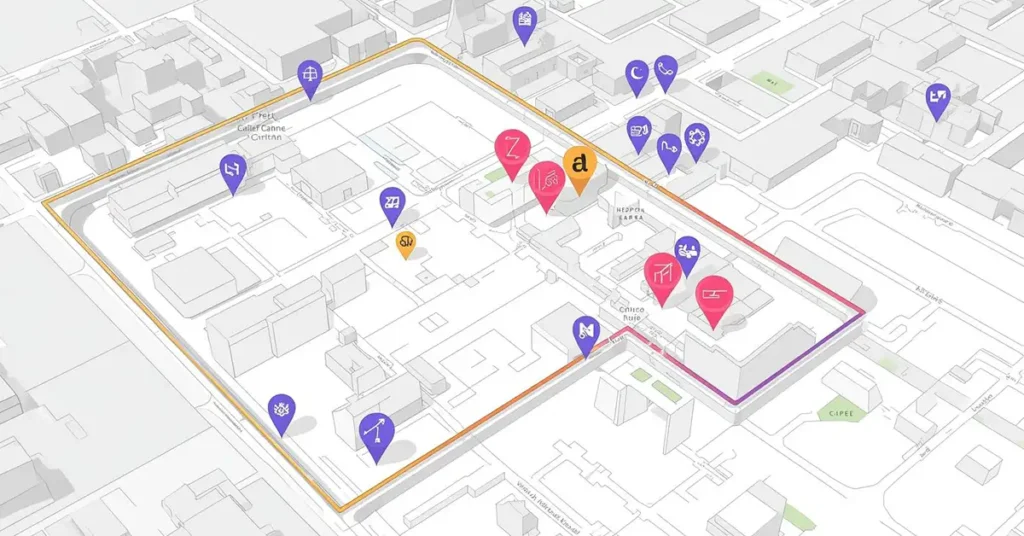
Traffic Prediction
Apps like Google Maps use AI to:
- Analyze traffic patterns
- Predict congestion
- Suggest faster routes
The system learns from millions of users simultaneously.
Real-Time Adjustments
If there’s an accident or road closure, AI recalculates routes automatically.
You don’t need to refresh or replan.
5. AI in Shopping and E-Commerce Apps
Product Recommendations
When apps suggest:
- “You might also like”
- “Frequently bought together”
That’s AI analyzing:
- Browsing behavior
- Purchase history
- Similar user patterns
Fraud Detection
AI monitors transactions to:
- Detect unusual activity
- Prevent fraud
- Flag suspicious payments
This happens instantly, protecting both users and businesses.
6. AI in Banking and Finance Apps

Expense Categorization
Banking apps automatically categorize spending into:
- Food
- Travel
- Utilities
- Shopping
You don’t need to label transactions manually.
Financial Insights
Some apps provide insights like:
- Monthly spending trends
- Budget warnings
- Savings suggestions
AI analyzes patterns and highlights useful information.
7. AI in Streaming Apps
Content Recommendations
Netflix, YouTube, and Spotify rely on AI to:
- Suggest movies and shows
- Recommend music
- Predict what you’ll enjoy next
AI evaluates:
- Viewing history
- Watch duration
- Replays and skips
This personalization keeps platforms engaging.
Search and Discovery
Even search results inside these apps are AI-driven, helping you find content faster.
8. AI in Productivity Apps
Smart Scheduling
Calendar and task apps use AI to:
- Suggest meeting times
- Avoid conflicts
- Automatically reschedule tasks
Focus and Time Management
Some apps analyze work habits to:
- Suggest focus time
- Reduce distractions
- Improve productivity
AI adapts to how you work.
9. AI in Voice Assistants
Natural Language Understanding
Voice assistants understand:
- Intent
- Context
- Follow-up questions
You don’t need exact commands. AI interprets natural speech.
Task Automation
You can say:
- “Remind me tomorrow”
- “Set an alarm”
- “Play my playlist”
AI connects multiple services behind the scenes.
Why This Matters to Everyday Users
AI is not about replacing humans.
It’s about removing unnecessary effort.
Benefits include:
- Less clicking
- Fewer steps
- Faster results
- Better personalization
When AI works well, you barely notice it.
Common Misunderstanding About AI in Apps
Many people think:
“If I don’t see AI, it’s not being used.”
In reality:
- The best AI is invisible
- It works quietly in the background
- It improves experience without disruption
This is why AI adoption feels gradual, not sudden.
Where This Is Going Next
As AI improves, apps will:
- Rely less on menus
- Focus more on intent
- Combine multiple actions into one request
Instead of navigating apps, users will express goals, and systems will handle execution.
What AI Is Not Doing (Yet)
AI is not:
- Fully autonomous
- Making decisions without oversight
- Replacing everyday apps
Apps still matter.
AI simply makes them smarter.
Final Thoughts
AI is already deeply integrated into everyday apps — not as a headline feature, but as a silent helper.
From emails and photos to banking and navigation, AI improves efficiency, accuracy, and personalization.
You don’t need to “learn AI” to benefit from it.
You’re already using it — every single day.
FAQ
A1: Yes, absolutely. AI is already part of many apps you use daily. For example, it helps your phone unlock with Face ID, suggests replies in email apps, recommends videos on YouTube, and even improves photo quality automatically.
AI reduces manual work. Instead of tapping through many options, AI understands what you want and does it faster. For instance, you can say “Remind me tomorrow,” and the app handles everything without extra steps.
A3: Yes, apps can work without AI, but they feel slower and less smart. AI helps apps personalize content, automate tasks, and improve accuracy, which makes the overall experience smoother.
A4: No, AI is not replacing apps. Instead, it works inside apps to make them smarter. Apps still exist, but AI helps them communicate with each other and perform tasks more efficiently.
A5: Yes. In the coming years, most apps will rely on AI even more. Features like smart assistants, auto-scheduling, content suggestions, and predictive actions will become standard in everyday apps.